Assembling the CurrentCost interface

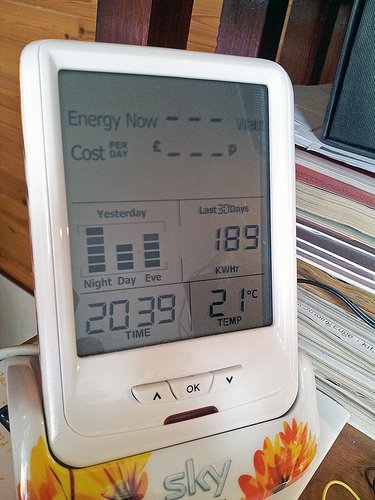
With a CurrentCost energy monitor of any form, there’s a variety of ways that you can track historical data; Option 1 involves simply looking at the stored summary on the unit itself. It’s interesting for about the first seventeen seconds, but you have no context to what you’re seeing and ultimately no ability to compare year-on-year data, say. All you can do is watch it scroll through the average KWhr of energy…
There’s something wrong with my Stash

Since the weekend I’ve been trying to work out why the code to upload data to my Cosm feed was falling over after random periods of time. Sometimes it lasted for a few hours before dying, but others it lasted just minutes. There was no readily visible pattern, so it was time to get Googling and also accumulate a bit more data so I could get a better handle on…

Finally uploading some CurrentCost data

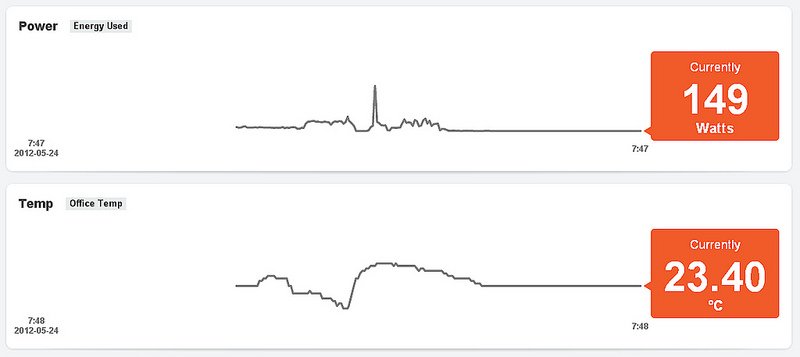
Having established how to power my CurrentCost monitor, the next step was to start using an Arduino to upload the data to one of the many Internet of Things (or IoT) data bucket sites out there and – for a first step – Cosm (what used to be called Pachube) seemed like as good a starting point as any. The above graphs are generated using PachuBlog (which will no doubt get renamed CosmBlog…

Turning the power problem on its head

Regular readers will remember I’d previously had a problem trying to run an Arduino from the power line of a CurrentCost CC128 energy monitor using the CurrentCost’s own PSU for both devices, wherein as soon as you connected the additional load of an Arduino, the CurrentCost stopped getting readings from its remote sensor. The reason for wanting to do this – I should point out – is that it seems…

Do you want fries with that?

Here’s a little tip for you; if you’re experimenting with an Arduino and a CurrentCost, trying to see if you can power one from the other and you have the 3.3v pin on the Arduino connected to the unregulated power line on the CurrentCost’s interface port, don’t then have a brain fade and plug the CC128’s PSU back in … It’s fried something on the Uno with the upshot being…

Wondering how to get power

Hmm, my plan for powering an Arduino from the CurrentCost energy monitor has hit a little snag – the idea was to use the 3.8v unregulated supply on pin 1 from the CurrentCost. I could then run either a Xino at 3.3v or boost it up to 5v. However, as soon as I put any load on that supply, the energy readings on the CC128 display flatline and there’s nothing in the data…

CurrentCost energy monitor ramblings

So I don’t lose track of them, a few notes on getting data out of a CurrentCost CC128 energy monitor and into an Arduino. Think of it as a placeholder for a proper post… http://www.techtoniq.com/forum/viewtopic.php?f=5&t=385 http://www.currentcost.com/cc128/xml.htm http://currentcost.wetpaint.com/ http://currentcost.posterous.com/envi-and-envir-history-output http://web.archive.org/web/20100724220142/http://e.inste.in/2008/06/16/interfacing-the-currentcost-meter-to-an-arduino/ http://web.archive.org/web/20100603083756/http://e.inste.in/2008/06/15/interfacing-the-currentcost-meter-to-your-pc/ http://www.flickr.com/photos/pixelfrenzy/2499443217/ Some folks seem to be reporting different pinouts and baud rates, but that may be because they’re not being specific about which monitor they actually have. For my CC128…